Part B · The screens
B.20Settings
Integrations (Nutshell, and Slack as an option), the team and invitations, e-mail health (the sending domain, the warm-up and list verification), keyboard shortcuts and appearance.
- No.
- B.20
- Dashboard address
- /settings
What you can do here
Each core task, and how many clicks it takes from this screen.
| Task | Clicks | How |
|---|---|---|
| Invite a teammate | 3 | Settings → Team (the e-mail field is focused) → type the address, Enter. The invite link works once, for 72 hours. |
| Check the sending domain | 3 | Settings → Email health → Check: SPF, DKIM, DMARC and MX, each with what was found and the exact record to add. |
| Send to a risky address anyway | 3 | Settings → Email health → the address → Send anyway, with a note. Undo holds it again. |
| Connect Slack for approvals | 3 | Settings → Connect Slack → Test connection → Save. The token is stored encrypted and never shown again. |
| Switch light or dark | 1 | The sun / moon in the top bar. |
How it works behind the scenes
- Integrations shows whether Nutshell is connected, the address it syncs with and the last sync; in the prototype it is the Nutshell simulator with synthetic data.
- The domain check reads public DNS only; nothing is sent. List verification checks every contact's address without sending anything (format, whether the domain takes mail, disposable and role addresses), and the send governor refuses invalid addresses and holds risky ones.
- The warm-up shows today's cap, the days to the full cap and the last 14 days sent against the cap; the ramp itself is a rule in Rules → Send governor.
- Only the owner or the president can invite; only the owner or an operator can run the domain check or allow a send anyway.
Rules and switches that apply here
- In the prototype, e-mail only reaches test inboxes.
- Secrets (the Nutshell key, the Slack token) are stored encrypted and never shown again after saving.
The tables behind it
PK primary keyFK reference the database enforces (solid line)ID reference kept by id (dashed line)
| Table | What it holds | Columns |
|---|---|---|
| ai.email_verifications | Each contact address's check result and why, and any person's "send anyway". | 10 |
How the tables connect (1)
| Column | Points to | Kept by |
|---|---|---|
| ai.email_verifications.run_id | agent.runs | The application (by id) |
The screen
localhost:13301/settings
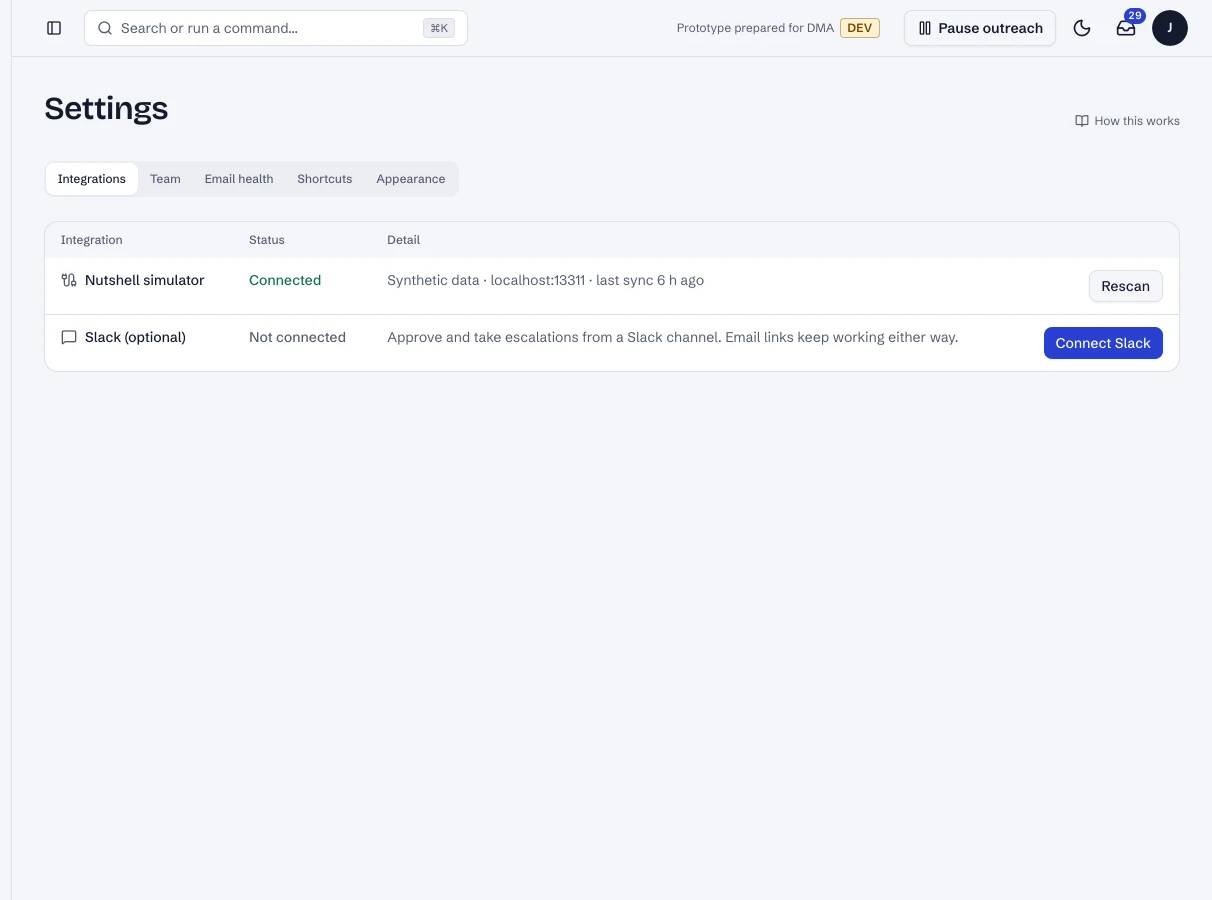
1 / 2Settings → Integrations.
- 1Integrations, Team, Email health, Shortcuts, Appearance.
- 2Nutshell: connected, where it syncs from and when it last did.
Dashboard · Settings, integrations. Captured from the running POC on September 25, 2026; synthetic data.
See it live
Opens the screen in the running POC, in a new tab.
| Open | Where | What to try |
|---|---|---|
| Settings → Email health | DMA AI dashboard | Check a sending domain; see list verification. |