Part B · The screens
B.19Kickoff checklist
The 13 things the project needs from DMA, the day each is needed, what it unlocks and what moves if it's late, with an owner, a status and notes for each.
- No.
- B.19
- Dashboard address
- /kickoff
What you can do here
Each core task, and how many clicks it takes from this screen.
| Task | Clicks | How |
|---|---|---|
| Name the owner of an item | 3 | Kickoff → click "Name someone", type, Enter. |
| Change an item's status | 3 | Kickoff → the status → pick Not started, In progress, Blocked or Done. |
| See what's blocked | 2 | Kickoff → Blocked. |
How it works behind the scenes
- Each row says what DMA provides (for example Nutshell API access, DNS access for the sending domain, a named product owner, the consent rules), the day it is needed, what it unlocks and what slips if it is late.
- Some rows turn done by themselves once the system can see it: for example, Nutshell access is done when a real Nutshell account is connected.
- Every edit records who made it and when. The rows are marked as sample rows for the prototype.
The tables behind it
PK primary keyFK reference the database enforces (solid line)ID reference kept by id (dashed line)
| Table | What it holds | Columns |
|---|---|---|
| ops.kickoff_items | The checklist: what, when, what it unlocks, owner, status and notes. | 13 |
The screen
localhost:13301/kickoff
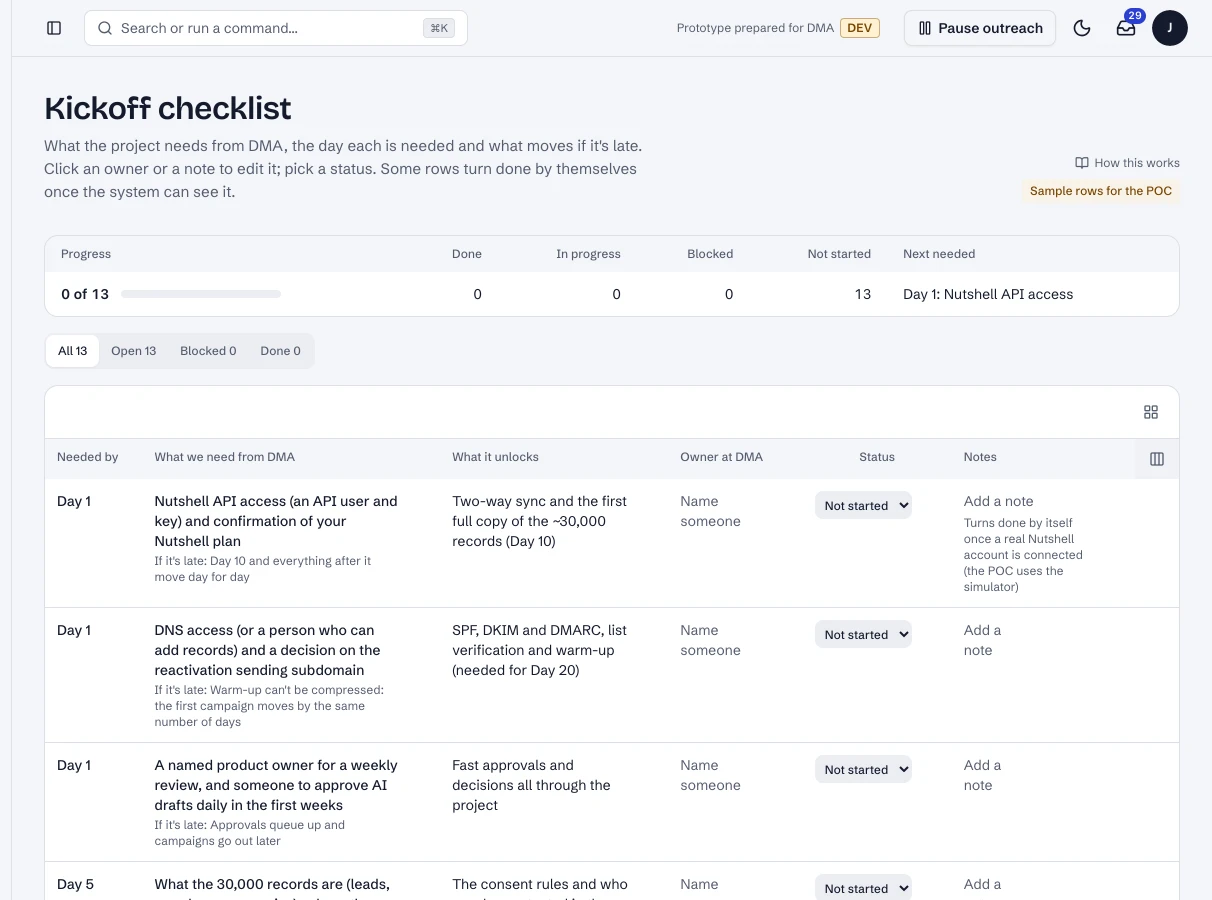
The kickoff checklist (sample rows for the prototype).
- 1Progress across what DMA provides, and what's needed next.
- 2One item: when it's needed, what it unlocks, its owner and status.
Dashboard · Kickoff checklist. Captured from the running POC on September 25, 2026; synthetic data.
See it live
Opens the screen in the running POC, in a new tab.
| Open | Where | What to try |
|---|---|---|
| Kickoff checklist | DMA AI dashboard | Name an owner or pick a status on any row. |